Videos
Short videos from CyberSandberg. Each one comes with an article that has the full steps and sources.
Cyber
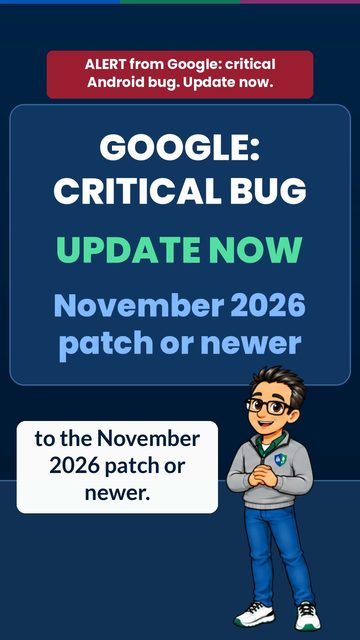
Android "SMS of Death" Alert: Update Now
Posted Google rated this Android bug Critical. One hidden text can crash your phone's calling, including 911. The fix is in the November 2026 security update: open Settings and install it today. Watch and read
Someone Used Your Identity? The Short Version
Posted Report identity theft at IdentityTheft.gov to get an FTC Identity Theft Report and a recovery plan. Add a free extended fraud alert or a credit freeze, secure your email and phone, call each bank's fraud department, and dispute accounts that aren't yours. Watch and read
Someone Used Your Identity? How to Recover
Posted Recovering from identity theft is a list of steps you can start today. Call the companies where the fraud happened, lock down your email and phone, place a free fraud alert, get your credit reports, report it at IdentityTheft.gov, then clean up with each business and credit bureau. Watch and read
A Family Safe Signal: How to Say "Come Get Me"
Posted A family safe signal lets someone say "come get me" without saying it. Pick an ordinary-sounding phrase, play along calmly when you get it, and call back with a ready-made excuse. Agree ahead of time that using the signal never gets anyone in trouble. If someone is in immediate danger, call 911. Watch and read
A Familiar Voice Isn't Proof: Use a Family Code Word
Posted AI can copy a loved one's voice from a short clip. A family code word helps: pick it together in person, keep it off the internet, and ask for it before you send money. No word? Hang up and call back on a number you know. Watch and read
3 Signs a Text Message Is a Scam
Posted Three signs a text message is a scam: it rushes or threatens you, it has a link you didn't expect, or it asks for a code or a payment like gift cards. Don't tap the link. Check with the company or agency yourself. Watch and readFinance
Old Enough to Join?
Posted Want LinkedIn in high school? Check your age first. LinkedIn says its services are not for anyone under 16, and where the law needs parental consent, the age can be higher. A parent cannot make a profile in your name. If you are old enough, LinkedIn calls a profile a professional landing page. Watch and read
What Is LinkedIn?
Posted What is LinkedIn, and who is it for? LinkedIn calls itself the world's largest professional network. Members show their work history and skills, connect with people and find jobs. Our advice: keep LinkedIn for school and work. Watch and read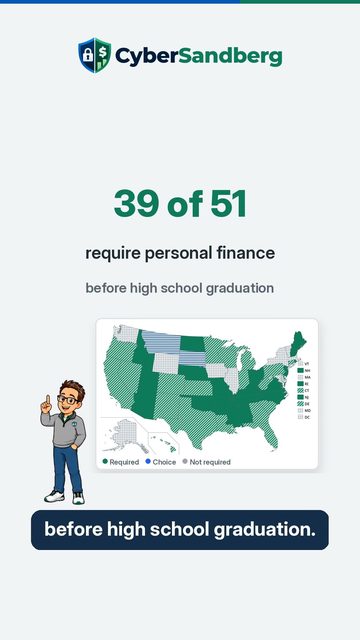
Does Your State Require Personal Finance?
Posted As of October 25, 2026, 39 of 51 jurisdictions require personal finance before high school graduation. 19 already have it in effect, 20 start with a future class, 2 let students choose personal finance or economics, and 10 have no statewide requirement. Check your state on our live map. Watch and read
Your Photo and Banner
Coming Posted Is that blank gray circle costing you views? LinkedIn says members with a profile photo get up to 2 times more profile views and 3 times more connection requests. The photo has to look like you, and your banner can be removed under the same rules. You choose who sees your profile photo. Watch and read
Your Headline and About
Coming Posted LinkedIn wrote your headline. You can rewrite it. LinkedIn builds your headline from the positions you add, and says you can rewrite it to show an area of expertise or your personality. Keep it true. Watch and read
Experience Without a Job
Coming Posted No job yet? You still have experience to list. Our advice for students: part time work, volunteering, clubs and school projects can count. In NACE's 2026 spring survey, 59 percent of employer respondents wanted specific skills shown with examples. Watch and read
Skills That Get Found
Coming Posted Recruiters filter by skills more than degrees. LinkedIn's Talent Blog reported 13 percent of recruiter searches filtered by skill, and 3 percent by degree. In NACE's 2026 spring survey, employers most often looked for teamwork on a resume: 85 percent. Watch and read
Privacy and Safety Settings
Coming Posted 16 or 17 and on LinkedIn? Lock these settings before you share. Limit messages to connections, limit what search engines show, and turn off Share profile updates. Set your email to Only visible to me, and turn on two factor authentication. Watch and read